如果你用系统自带的视频播放器打开HEVC(H265)的视频时,提示你需要下载HEVC视频扩展,而下载还要几块钱。那么Win + R 打开CMD,并输入下面的命令即可。
HEVC/H.265 视频扩展
ProductId: 9N4WGH0Z6VHQ
|
|
如果上面的方法失效,或者打不开。那么还有一种方法:
打开这个 https://store.rg-adguard.net/ 网站,搜索框左侧的下拉菜单选择 “ProductId” ,并搜索 “9n4wgh0z6vhq” ,然后根据自己电脑硬件选择相应的APPX安装包,下载并安装即可。
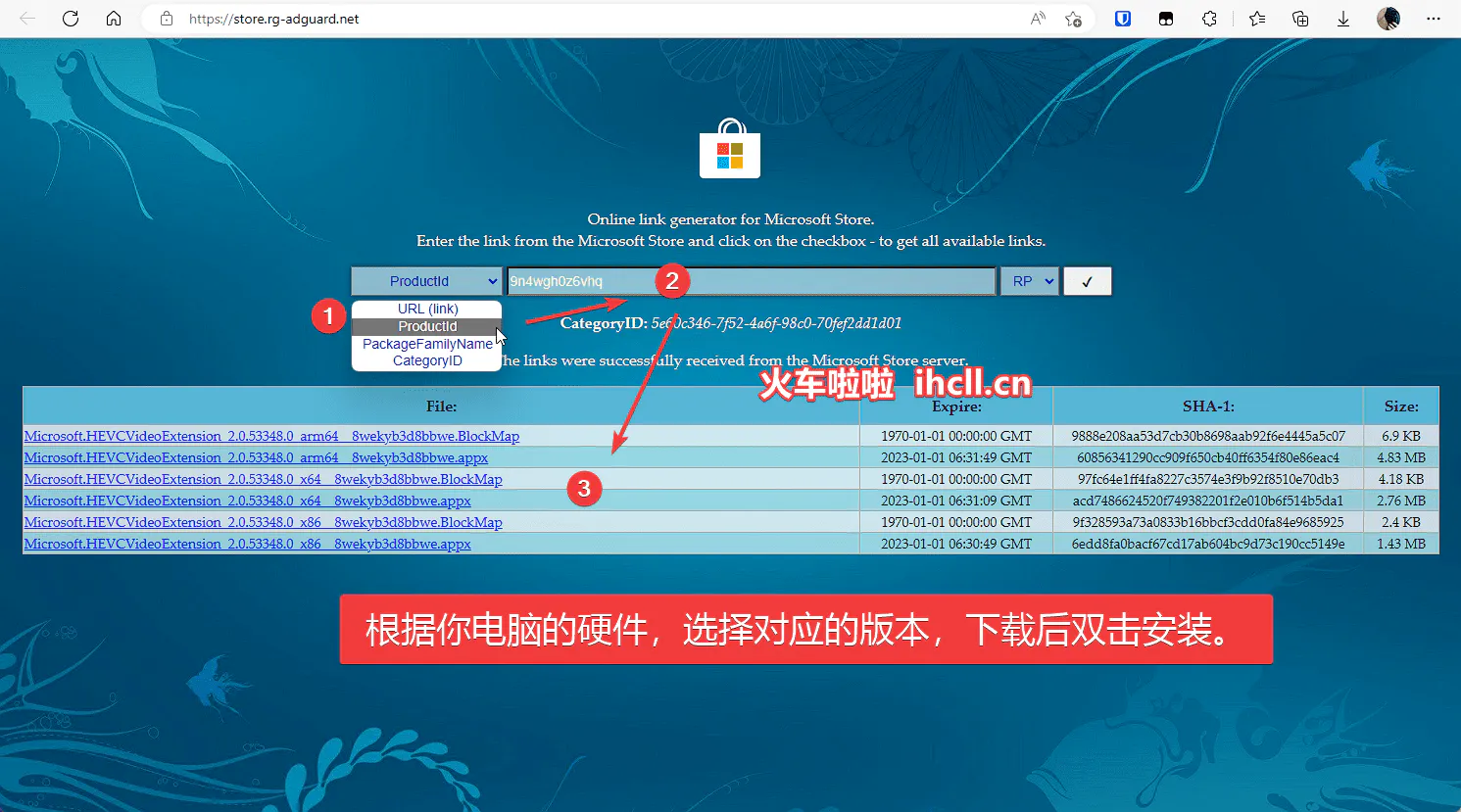
微软商店软件id查询:store.rg-adguard.net
HEIF 图像扩展
ProductId: 9PMMSR1CGPWG
|
|
RAW 图像扩展
ProductId: 9NCTDW2W1BH8
|
|
Intel Unison
ProductId: 9PP9GZM2GN26
|
|
适用于Android™的Windows子系统设置
ProductId: 9P3395VX91NR
|
|
这个也就是在Windows系统下安装安卓应用,另外推荐一个搭配使用的应用 APK安装程序
💡 提示:安装Android,不仅要在主板BIOS中开启虚拟化,还要在可选功能中开启虚拟机平台(Virtual Machine Platform)
APK安装程序
ProductId: 9P2JFQ43FPPG
|
|
GitHub链接:https://github.com/Paving-Base/APK-Installer/releases/latest